The eight questions asked most before buying
How long delivery takes, how the software is licensed, whether several workstations can share one scanner, and how upgrades and training are billed. This page answers each point from information published on this website. Policies we have not published are marked as subject to the contract, and no verbal commitment is made.
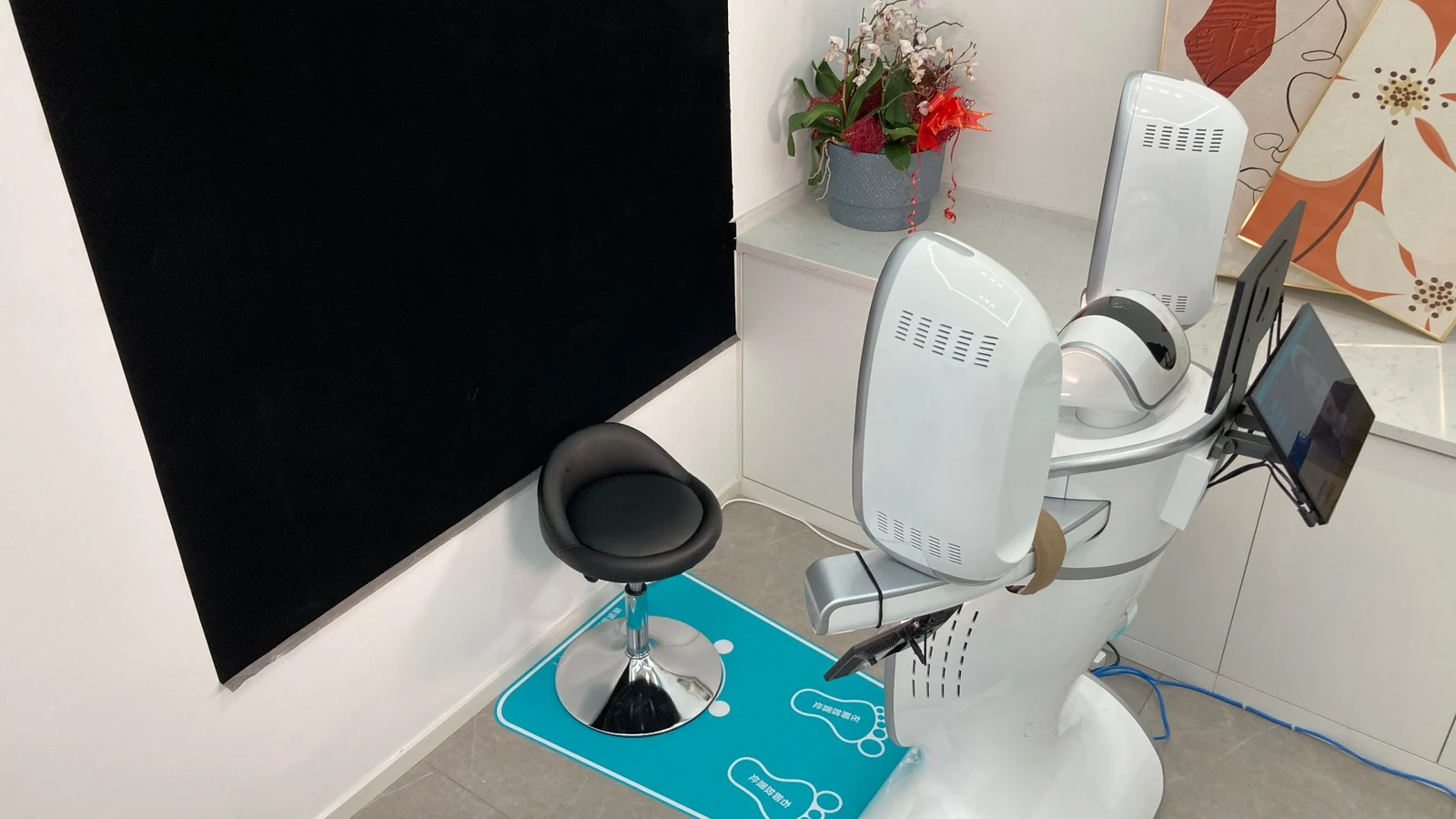
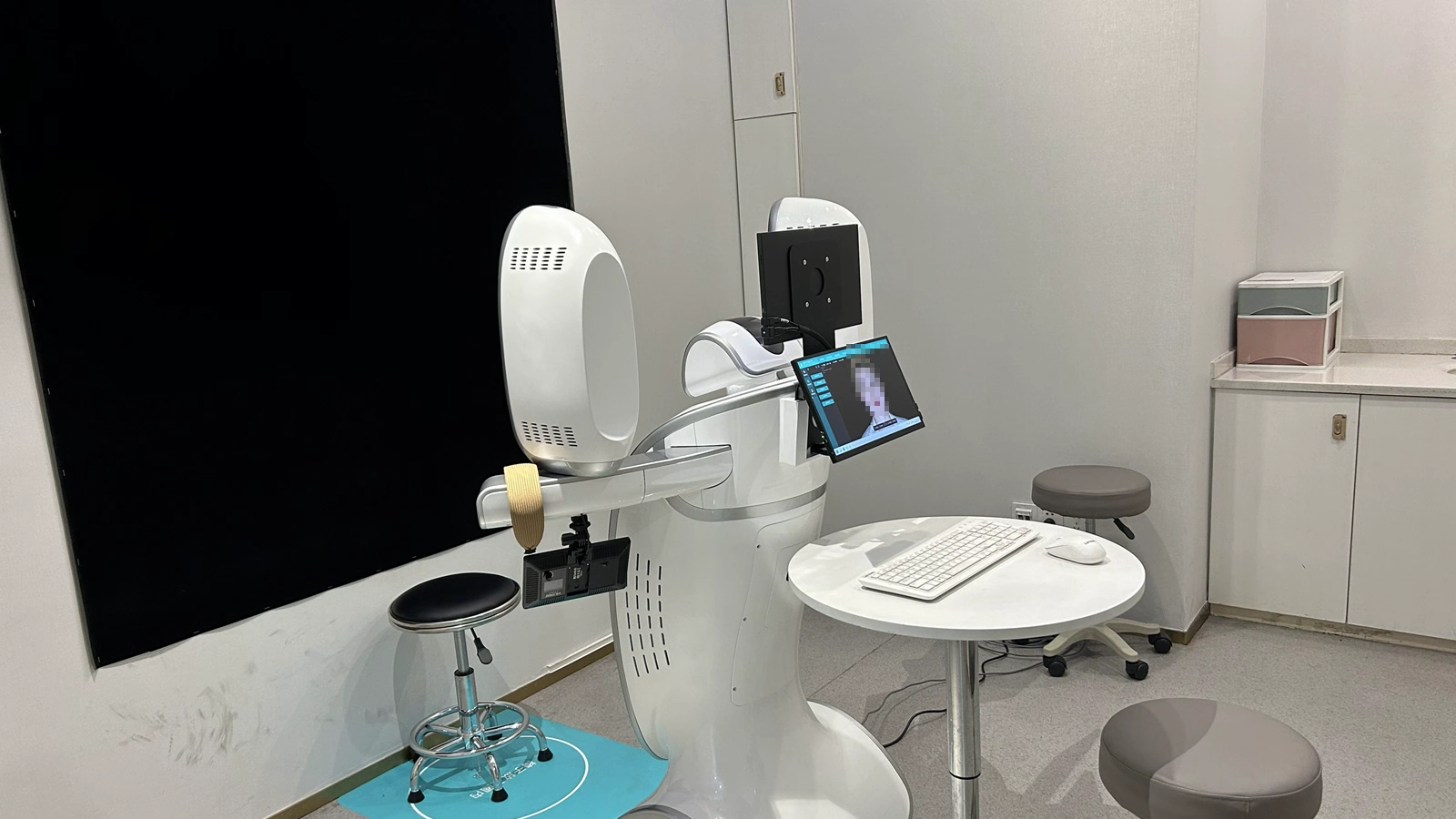
Six steps from contract to first scan
How long each step takes depends on the model, production schedule, city and site conditions. What this website can confirm is the process and the training duration; specific dates are subject to the contract.
Requirements & site check
Confirm the use case, model, room dimensions, power and network conditions
Contract & scheduling
Agree delivery milestones, training format, warranty and upgrade period
Dispatch & logistics
The device leaves the warehouse and tracking details go to your contact person
Delivery acceptance
Check appearance, accessories, power-on and network; record any issue
Installation & commissioning
An engineer completes installation, parameter setup and a test scan
Training & handover
On-site or online training, covering routine scans and report export
Training duration: the P6 and 800 series include two working days of on-site training; the M2N and M6 series use online remote training of about one hour per session, booked in advance. This website does not publish a uniform number of days for dispatch, arrival or commissioning. Please write the delivery milestones into the contract.
Procurement and service policy overview
Green rows are published on this website; yellow rows are partly published or need project-level confirmation. Before signing, put the final terms in the contract so that nothing rests on a verbal understanding.
| Item | Current position | Notes | Status |
|---|---|---|---|
| Leasing | No uniform policy published | Availability, term and cost are assessed per institution, model and project, subject to a written contract. | By project |
| Instalments | No uniform policy published | Down payment, number of instalments, fees and ownership must be stated in the contract. | By project |
| Trade-in | No uniform policy published | The trade-in value is assessed on the old model, its condition, years in use and the new configuration. | By project |
| Delivery lead time | Subject to the contract | Depends on the model, production schedule, city and site conditions; confirm the delivery milestone when signing. | By contract |
| Installation & commissioning | Completed by an engineer, including parameter setup and a test scan | Arrival time and commissioning duration depend on site conditions and the contract. | By site |
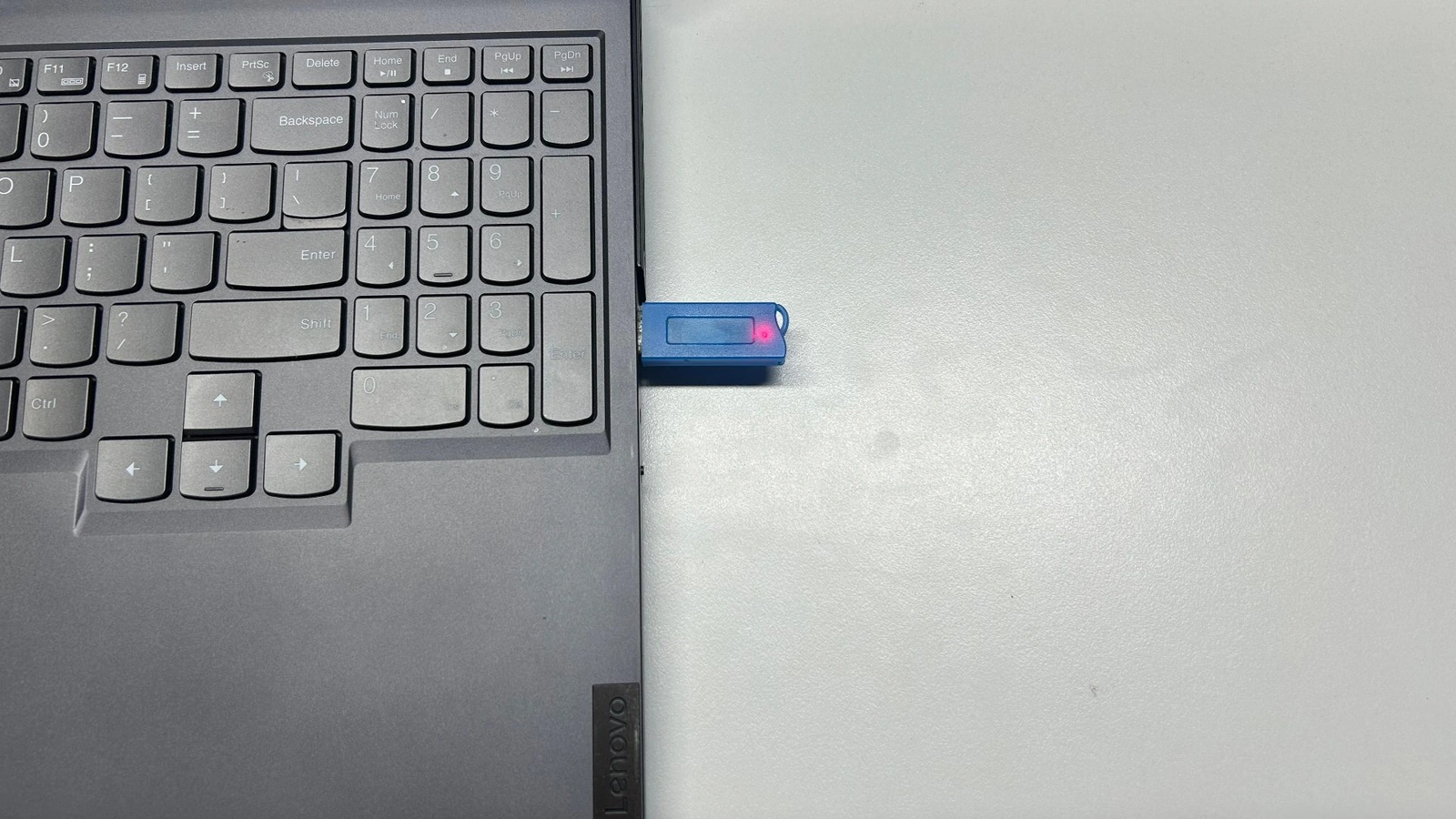
| Software licence | USB dongle | Insert it into a USB port before opening the software; a red light means normal. If the light stays off, check the driver first. | Published |
| Multiple workstations | Expanded through sync ports | Sync ports are a paid add-on; each activated port set includes a complete copy of the same software version. | Partly published |
| Software upgrades | Free for 3 years on M6HD, C6HD and P6HD; first year free on other models | Upgrade fees after the free period are not published; confirmed by version and contract. | Partly published |
| Training | P6 and 800: 2 working days on site; M2N and M6: about 1 hour online | Covers installation and commissioning, software parameters, scanning, simulation and comparison, and report export. | Published |
| Refresher training | Available on request, charged at standard rates | Advanced and refresher training are value-added services; format and schedule are confirmed at the time. | Partly published |
| Warranty | 3 years on M6HD, C6HD and P6HD; 1 year on other models | Subject to the purchase contract and the formal warranty terms; normal use and valid proof of purchase are required. | Published |
| After-sales response | Consultation 9:00–19:00 daily; after-hours contact for the after-sales specialist | Contact details are provided during installation and commissioning; faults are first handled by remote troubleshooting. | Published |
Items not listed above (leasing, instalments, trade-in and fees after the free upgrade period) have no uniform policy on this website. Please confirm with sales and rely on the written contract.
How is the software licensed, and how do workstations scale?
Licensing decides whether the software starts; the multi-workstation option decides whether data can move between rooms. Confirm the two separately and write both into the contract.
Dongle licensing: the current method
- How to use: insert the USB dongle into a USB port before opening the software; a red light means normal.
- If it fails: check the driver first when the light stays off; if the dongle is still not recognised, contact after-sales for remote troubleshooting.
- Custody: the dongle is kept by your institution; loss or damage will affect use of the software.
- Accounts: account-based licensing is not published on this website; if it becomes available, official notice and the contract will apply.
Multiple workstations: expanded through sync ports
- Default per device: one software licence and one dongle.
- How to expand: sync ports are a paid add-on; each activated port set includes a complete copy of the same software version.
- Typical use: after capture in the scanning room, data is synchronised to a doctor's office, other consulting rooms or another site.
- Limits: the number of workstations, the concurrency method and network requirements are assessed on site and confirmed in the contract.
Sync ports are not unlimited seats and are not a cloud account. If you need several workstations, confirm the number of ports, the software version and the network conditions first.
How data moves
After capture in the scanning room, data is sent through sync ports to a doctor's office, other consulting rooms or another site. The number of ports and the deployment method are confirmed in the contract.
How long is training, and what happens when staff change?
Training depends on the model and the contract, either on site or online. We recommend at least two people attend so that no one person is the only operator.
Training arrangements
- P6 and 800 series: two working days on site, covering installation and commissioning, software parameter setup and hands-on practice.
- M2N and M6 series: online remote training of about one hour per session, booked in advance so a trainer can be scheduled.
- Other models: format and duration are subject to the contract and the actual configuration.
- Suggested attendees: at least two operators, plus one internal administrator.
What training covers, and refreshers
- Content: installation and commissioning, software parameter setup, scanning, simulation and comparison, report export and routine maintenance.
- Refresher training: available on request; advanced and refresher training are value-added services charged at standard rates.
- Staff turnover: keep the operation manual, parameter settings, file-naming rules and administrator details, and have your internal administrator train new staff first.
- Scheduling: the format (online or on site) and timing of refresher training are confirmed at the time.
After-sales and warranty
Warranty periods vary by model. Faults are first handled by remote troubleshooting and then under the warranty terms. Contact details are provided during installation and commissioning.
Warranty period
M6HD, C6HD and P6HD carry a three-year warranty on the whole device; 800, ZETTA, M2N, M6, N1, C6 and P6 carry one year.
Normal use, no unauthorised disassembly and valid proof of purchase are required; the purchase contract and formal warranty terms prevail.
Free replacement
If a non-human fault or damage occurs within three months of purchase, one free replacement is available after engineer verification.
The replacement is dispatched once the carrier collects the unit. Human damage and unauthorised disassembly are excluded; the warranty terms prevail.
How to get help
Consultation is available daily from 9:00 to 19:00; outside these hours, contact the after-sales specialist.
For a device fault, check the connection, power, driver and dongle first; repairs follow the warranty terms.
Eight checks before the device arrives
This checklist is for internal planning before installation and does not replace a site survey. If you need several workstations or sites, confirm the synchronisation requirements at the same time.
Detailed answers to the eight questions
The answers are grouped into procurement, delivery, licensing, training and after-sales. Anything not published on this website is marked as subject to the contract.
We do not currently publish a uniform leasing, instalment or trade-in policy. Whether it is available, how the down payment and term are calculated, and how an old device is valued all depend on the institution's credentials, the model, the condition of the equipment and the contract terms.
Ask sales for a written proposal before signing, and have the cost, term, ownership and default clauses written into the contract. Do not make a payment on the basis of a verbal explanation alone.
The standard process is: requirements and site check → contract and production scheduling → dispatch → delivery acceptance → installation and commissioning → training and handover.
What this website can confirm is two working days of on-site training for the P6 and 800 series and about one hour of online training for the M2N and M6 series. The number of days for dispatch, arrival and commissioning depends on the model, production schedule, city and site, and no uniform commitment is published; the delivery milestone in the contract prevails.
The current software is licensed with a USB dongle: insert it into a USB port before opening the software; a red light means normal. If the light stays off, check the driver first, and contact after-sales if the dongle is still not recognised.
Account-based licensing is not published on this website; if it is offered later, official notice and the contract will apply. The dongle is kept by your institution, and loss or damage will affect use of the software; we suggest recording its number and naming a custodian.
By default one device comes with one software licence and one dongle. To use it in several consulting rooms, sites or departments, capacity can be expanded through sync ports; sync ports are a paid add-on, and each activated port set includes a complete copy of the same software version.
The number of workstations, the concurrency method and network requirements are confirmed on site and in the contract; this should not be read as unlimited workstations. If you only need to view data occasionally on another computer, ask after-sales about a lighter option first.
The free upgrade period depends on the model: three years for M6HD, C6HD and P6HD; the first year free for 800, ZETTA, M2N, M6, N1, C6 and P6.
Upgrade fees after the free period are not published on this website and are confirmed by version and contract. Before upgrading, check version compatibility, back up your data and work outside clinic peak hours.
The P6 and 800 series include two working days of on-site training; the M2N and M6 series use online remote training of about one hour per session, booked in advance.
Training is mostly hands-on and covers installation and commissioning, software parameter setup, scanning, simulation and comparison, report export and routine maintenance. We recommend at least two people attend and one internal administrator be named.
Refresher training can be requested, but advanced and refresher training are value-added services charged at standard rates.
After staff turnover, we suggest your internal administrator trains new users first and keeps the operation manual, parameter settings and file-naming rules; book refresher training in advance, and the format (online or on site) and schedule are confirmed at the time.
Consultation is available daily from 9:00 to 19:00; outside these hours, contact the after-sales specialist. Contact details are provided during installation and commissioning.
For a device fault, start with remote troubleshooting (connection, power, driver, dongle); if a non-human fault or damage occurs within three months of purchase, one free replacement is available after engineer verification; warranty periods vary by model and are subject to the contract and warranty terms.
The price mainly depends on hardware specifications and software configuration: on the hardware side, 3D measurement accuracy, texture resolution and the number of scanning modules; on the software side, the selected combination of modules such as quantitative assessment, maxillofacial analysis and data fusion.
Training, installation, commissioning and service terms also affect the final quotation. Prices are subject to the official quotation, and configuration plans can be tailored to each institution's needs.
Base configurations and optional modules differ across models, and quotations typically include training, installation, commissioning and services, so the plan must be defined around each institution's actual needs. The website therefore presents product parameters and a feature matrix instead of fixed prices.
To get a price, contact our sales team for an official quotation based on your specific configuration.
Next step: turn your requirements into a model
If you already know your use case and institution type, go straight to the selector. If you want to review service and warranty details first, go back to the support page.
Not sure which model fits?
Enter your use case, institution type and priorities to get a recommended model and an alternative in three minutes. The result is for reference only; the final configuration and price are subject to the proposal and contract.